The Best Music Systems for Restaurants in 2027: Hardware, Software & Licensing Guide
- Quick Comparison: Top Restaurant Sound System Setups
- Step 1: Choosing the Right Commercial Hardware & Speakers
- Step 2: Dedicated Restaurant Music Players vs. Personal Devices
- Step 3: Music Licensing & Copyright Compliance in the US
- Step 4: How Music Psychology Boosts Restaurant Revenue
- FAQ
Nearly 60% of diners state that atmosphere is the single most important factor when choosing where to eat—ranking higher than online reviews, speed of service, or even personal recommendations. Yet, while 90% of hospitality owners play music to shape their venue’s vibe, only 1 in 5 do so with proper legal licensing and commercial-grade equipment. [1, 2]
Choosing the best music system for a restaurant requires more than buying a few consumer Bluetooth speakers and hitting play on a personal Spotify account. A reliable setup demands commercial hardware engineered for 14-hour daily playback, stable network connectivity, multi-zone volume control, and legally compliant audio streaming.
This guide breaks down everything you need to build a future-proof restaurant sound system in 2027—from wired 70V setups and wireless speakers to dedicated streaming hardware and US copyright laws.
Quick Comparison: Top Restaurant Sound System Setups
Before diving into technical specs, compare the four primary architectures used in modern cafes, bars, and dining rooms:
| System Type | Best For | Ideal Venue Size | Approx. Hardware Cost | Pros | Cons |
| Wired 70V Commercial System(e.g., Bose, JBL, SoundTube) | New builds, large dining rooms, multi-zone venues | 750 – 5,000+ sq. ft. (70 – 500+ m²) | $1,100 – $15,000+ | Unmatched reliability, long cable runs, independent zone control, paging support | Requires professional installation and drywall/ceiling wiring |
| PoE / Ethernet Wired Smart Audio (e.g., Bluesound Professional) | High-traffic venues with congested Wi-Fi | 500 – 3,000+ sq. ft. (45 – 280+ m²) | $1,500 – $5,000+ | Zero Wi-Fi interference, single-cable power & audio, tamper-proof controls | Higher per-speaker cost, requires Ethernet drops |
| Wi-Fi Multi-Room Systems (e.g., Sonos Era 100 Pro / Sonos Port) | Small cafes, bistros, existing spaces avoiding major construction | 400 – 2,000 sq. ft. (40 – 200 m²) | $600 – $3,500 | Sleek aesthetic, easy app control, fast setup, flexible placement | Relies heavily on stable commercial Wi-Fi; consumer units lack tamper locks |
| DECT Wireless Commercial Audio(e.g., Audio Pro Business) | Retail-restaurant hybrids, spaces with track lighting | 400 – 8,000+ sq. ft. (40 – 800+ m²) | $1,800 – $8,000+ | Operates outside crowded Wi-Fi bands, 2x Wi-Fi range, mounts on lighting tracks | Proprietary hardware ecosystem, requires certified reseller |
Step 1: Choosing the Right Commercial Hardware & Speakers
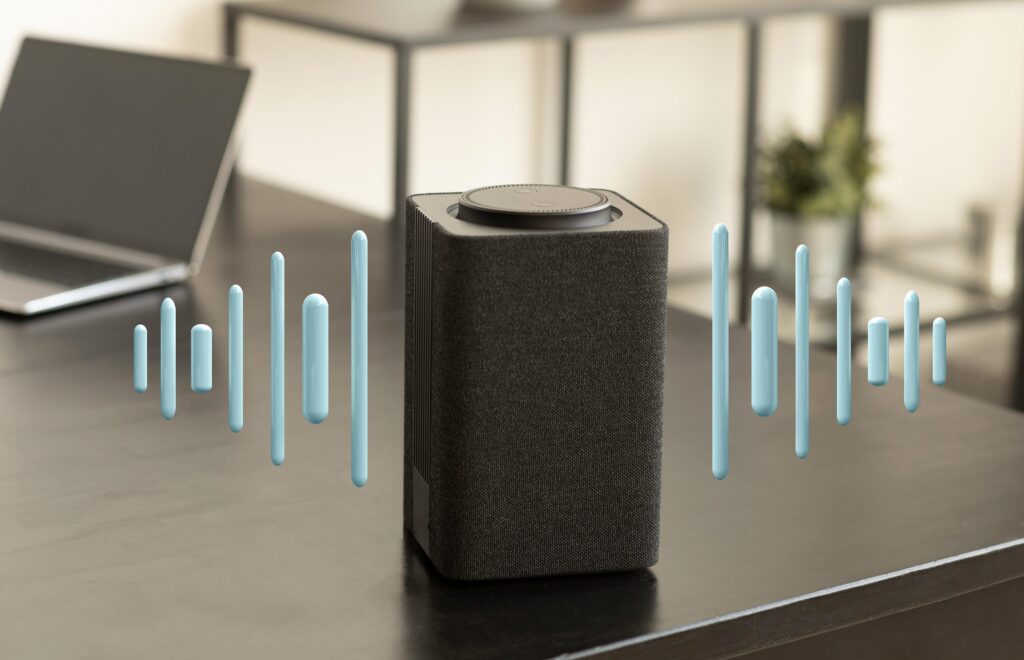
In a hospitality environment, consumer audio gear fails quickly. Kitchen grease, humidity, dust, and continuous 12-to-16-hour daily operation will burn out standard home amplifiers.
When selecting a speaker for a restaurant, industry professionals recommend choosing between three main form factors:
- In-Ceiling Speakers: Best for drop ceilings or drywall where you want audio to blend invisibly into the decor.
- Pendant Speakers: Suspended from high or open-truss ceilings (common in industrial cafes and breweries) so sound projects downward toward diners rather than echoing off the roof.
- Surface-Mount Speakers: Mounted on walls or patio beams using swivel brackets—ideal for outdoor seating and historic brick buildings. [1, 2, 3]
1.1 Wired 70-Volt Commercial Sound Systems (The Industry Standard)
For most dining rooms, a 70V commercial music system for a restaurant is the gold standard. Unlike standard 8-ohm home stereos, 70V systems allow you to daisy-chain dozens of speakers along a single long wire run without losing audio quality or overloading the amplifier. You can also set individual wattage taps on each speaker—making the bar louder while keeping corner booths quiet. [1, 2]
Top Wired Packages & Components:
- Small Cafes & Bistros (Up to 550 sq. ft. / 50 m²): A compact setup like the JBL Control 1 Pro pair coupled with a commercial stereo amp (~$500 total) or an Electro-Voice EVID-S4.2T mixer-amp bundle (~$875) delivers crisp, balanced audio. [1, 2]
- Mid-Sized Dining Rooms (Up to 800–3,000 sq. ft.): Bose Professional dominates this tier. Pairing four to six Bose FreeSpace FS2C/FS2SE or DesignMax DM3P pendant speakers with a Bose FreeSpace IZA 250-LZ or IZA 190-HZ zone amplifier (1,100–2,000) provides warm vocal clarity that never overpowers table conversation. [1, 2, 3, 4]
- Large Multi-Zone Restaurants & Patios (3,000+ sq. ft.): Systems built around multichannel DSP amplifiers—such as the Bose PowerSpace P4300+ or SoundTube CM62-EZ-II and RS500i pendant arrays (5,000–15,000+)—let managers independently control volume and playlists across the dining room, bar, restrooms, and outdoor patio. [1, 2]
What Audio Engineers Say: On commercial AV forums like Reddit’s r/CommercialAV, installers consistently warn against over-specifying high-wattage club speakers for dining rooms. Instead, they recommend more speakers running at lower volumes. Placing speakers every 10 to 15 feet creates an even “blanket” of sound so guests directly under a speaker aren’t blasted while tables across the room hear nothing.
1.2 Wireless & Hybrid Wi-Fi Systems (Sonos & Chromecast)
If you are leasing a space where cutting into drywall isn’t allowed, a wireless restaurant background music system is an attractive alternative. [1]
- Sonos Pro & Era 100 Pro: Sonos has expanded beyond home audio with commercial-ready hardware like the Sonos Era 100 Pro (which supports Power over Ethernet) and the Sonos Port (which connects an existing wired amplifier to the Sonos ecosystem). [1, 2]
- The Wi-Fi Bottleneck Warning: Commercial restaurants have notoriously congested Wi-Fi networks packed with POS terminals, handheld ordering tablets, kitchen display systems, and guest smartphones. If your speakers share that bandwidth, audio dropouts will happen during peak Friday night dinner rushes. Always place wireless audio hardware on a dedicated, isolated VLAN or use Ethernet-wired models. [1, 2]
1.3 Wi-Fi-Free Commercial Alternatives (Bluesound & Audio Pro)
To get modern app control without risking Wi-Fi dropouts, consider two specialized B2B technologies:
- Bluesound Professional (Ethernet / PoE): Devices like the Bluesound B100S network streamer (~$549) and BSP200/BSP500 PoE speakers (349–549) run exclusively over wired Ethernet. They feature zero physical buttons on the chassis, preventing staff from accidentally changing settings. [1, 2]
- Audio Pro Business (DECT Wireless): Using the 1.9 GHz DECT frequency band (the same interference-free spectrum used by commercial cordless phones), Audio Pro speakers transmit audio up to twice the distance of Wi-Fi without touching your router. Many models clip directly onto standard ceiling lighting tracks for rapid installation. [1, 2]
Step 2: Dedicated Restaurant Music Players vs. Personal Devices
A common mistake among new restaurateurs is plugging an iPad or bartender’s smartphone directly into the amplifier via an AUX or RCA cable. [1]
While cheap upfront, relying on a personal phone or front-desk tablet creates operational headaches:
- Incoming phone calls, notification chimes, or accidental screen taps interrupt the dining room vibe.
- Batteries degrade rapidly when plugged in and streaming 14 hours a day.
- When the employee holding the phone leaves for the night, the music stops. [1]
Why You Need a Dedicated Restaurant Music Player
Professional hospitality operators use a dedicated restaurant music player (such as a commercial network streamer, Sonos Port, or dedicated mini-PC/media box) connected via Ethernet to your router and wired directly into your amplifier. [1]
A commercial media player offers:
- Offline Caching (Fallback Mode): If your restaurant’s internet goes down mid-service, the player automatically switches to locally cached playlists so the dining room never goes dead silent. [1]
- Daypart Scheduling: Automatically shifts the tempo from mellow acoustic mornings to upbeat lunch grooves and lounge beats for dinner without staff intervention. [1]
- Centralized Control & Explicit Filters: Managers lock down volume limits and block explicit lyrics across one or multiple locations from a single cloud dashboard. [1]
Step 3: Music Licensing & Copyright Compliance in the US
Once your hardware is wired, you need a legal audio source. Using consumer streaming apps like Spotify, Apple Music, Pandora, or YouTube in a restaurant is illegal. Personal subscriptions strictly cover private, non-commercial listening. [1]
Under US Copyright Law, playing music in a restaurant constitutes a “public performance.” Without proper licensing from Performance Rights Organizations (ASCAP, BMI, SESAC, and GMR), venue owners face statutory fines ranging from $750 to $30,000+ per infringed song.
Comparing Commercial Music Solutions
You have two legal pathways to power your background music system for a restaurant:
- All-Inclusive B2B Licensed Streaming (25–50/month per location): Platforms like Soundsuit, Soundtrack Your Brand, and SiriusXM for Business bundle commercial streaming software with direct PRO licenses (ASCAP, BMI, SESAC, GMR) for standard background playback. (Note: Live bands, DJs, karaoke, and dancing still require separate direct PRO licenses).
- Royalty-Free & Direct-Licensed Background Music: If you want predictable, hassle-free audio curated specifically for hospitality without dealing with complex PRO tiers, royalty-free business platforms offer an efficient alternative. Once you choose your best audio system, you can stream curated, commercially cleared royalty-free tracks on it using Moodby Play—giving your venue nonstop, mood-matched playlists built specifically for restaurants, cafes, and bars. [1, 2, 3]
Step 4: How Music Psychology Boosts Restaurant Revenue
Research cited by Bose Professional and Sonos Pro confirms that strategic audio directly impacts customer behavior and check averages: [1, 2]
- Tempo Controls Table Turnover: Studies show slower-tempo music encourages diners to linger and order additional drinks or desserts, increasing bar revenue during slow weeknights. Upbeat, faster-tempo music subtly accelerates dining speed—ideal for maximizing table turns during packed lunch rushes.
- Genre Reinforces Authenticity & Spend: Matching your playlist to your culinary concept (e.g., bossa nova for a tapas bar, classic jazz for a steakhouse) increases perceived food authenticity and diner willingness to pay.
- Volume Protects the Experience: Keep background music around 60–65 dB during daytime dining (roughly the level of normal conversation) and 70–75 dB for energetic evening bar service. Research shows that loud music paired with a crowded dining room spikes stress hormones and leads to negative reviews. [1, 2, 3]
Frequently Asked Questions (FAQ)
What is the best music system for a restaurant?
For most restaurants over 750 sq. ft., a wired 70V commercial sound system (such as Bose DesignMax or JBL Control speakers paired with a multi-zone mixer-amplifier) is the best choice due to its reliability, even sound distribution, and durability. For smaller cafes under 750 sq. ft. or leased spaces avoiding construction, commercial wireless setups like Sonos Era 100 Pro or Audio Pro Business offer fast installation and easy app control. [1, 2, 3]
How many speakers do I need for a restaurant?
A reliable commercial audio rule of thumb is one speaker per 150 to 250 sq. ft. of dining space, spaced roughly 10 to 15 feet apart depending on ceiling height. Using more speakers at a lower volume prevents “hot spots” where guests seated under a speaker cannot hear each other talk.
Can I use Spotify or Apple Music in my restaurant?
No. Consumer streaming platforms like Spotify, Apple Music, Amazon Music, and YouTube are licensed strictly for personal, non-commercial use. Playing them in a restaurant violates federal copyright law and exposes your business to heavy fines from ASCAP, BMI, SESAC, and GMR. Always use a dedicated commercial music provider. [1, 2]
What is the difference between a 70V commercial system and a home stereo?
Home stereos use low-impedance (4-ohm or 8-ohm) wiring, which limits you to 2–4 speakers over short cable distances before the amplifier overheats. A commercial music system for a restaurant uses a 70-volt transformer line, allowing you to wire dozens of speakers across long distances on a single cable run while individually adjusting the volume of each speaker. [1]
Do I need a dedicated restaurant music player?
Yes. Relying on a staff smartphone or POS tablet leads to audio interruptions, drained batteries, and unscheduled silence when devices leave the building. A dedicated restaurant music player (wired via Ethernet) provides automatic daypart scheduling, offline playback during Wi-Fi outages, and tamper-proof volume locks. [1, 2]
How much does a restaurant background music system cost?
A basic wired or wireless restaurant background music system for a small coffee shop (under 600 sq. ft.) costs between $500 and $1,500 for hardware. Mid-sized restaurants (1,000–3,000 sq. ft.) typically spend $2,000 to $6,000, while large multi-zone restaurants with patios and subwoofers range from $7,000 to $20,000+ excluding installation labor. [1, 2, 3, 4, 5, 6]